Talk, don't type
Four new ways to get things into Goaltree without touching a keyboard: brain dump, screenshot to tasks, events and the Claude connector. Plus a coach who might ring you.
4 min read
- Product update
- Brain dump
- Events
- Claude
- AI coach
Typing out your to-do list is the least fun part of getting things done. You know what you need to do; the hard part is getting it out of your head and into a list before it slips away. So this month we made typing optional.
Below are four new ways to capture what’s on your mind, whether you’re walking to work, sitting in a meeting or already chatting with an AI. And one more thing at the end: a coach who notices when things slip, and picks up the phone.
01 / Brain dump
Just say it
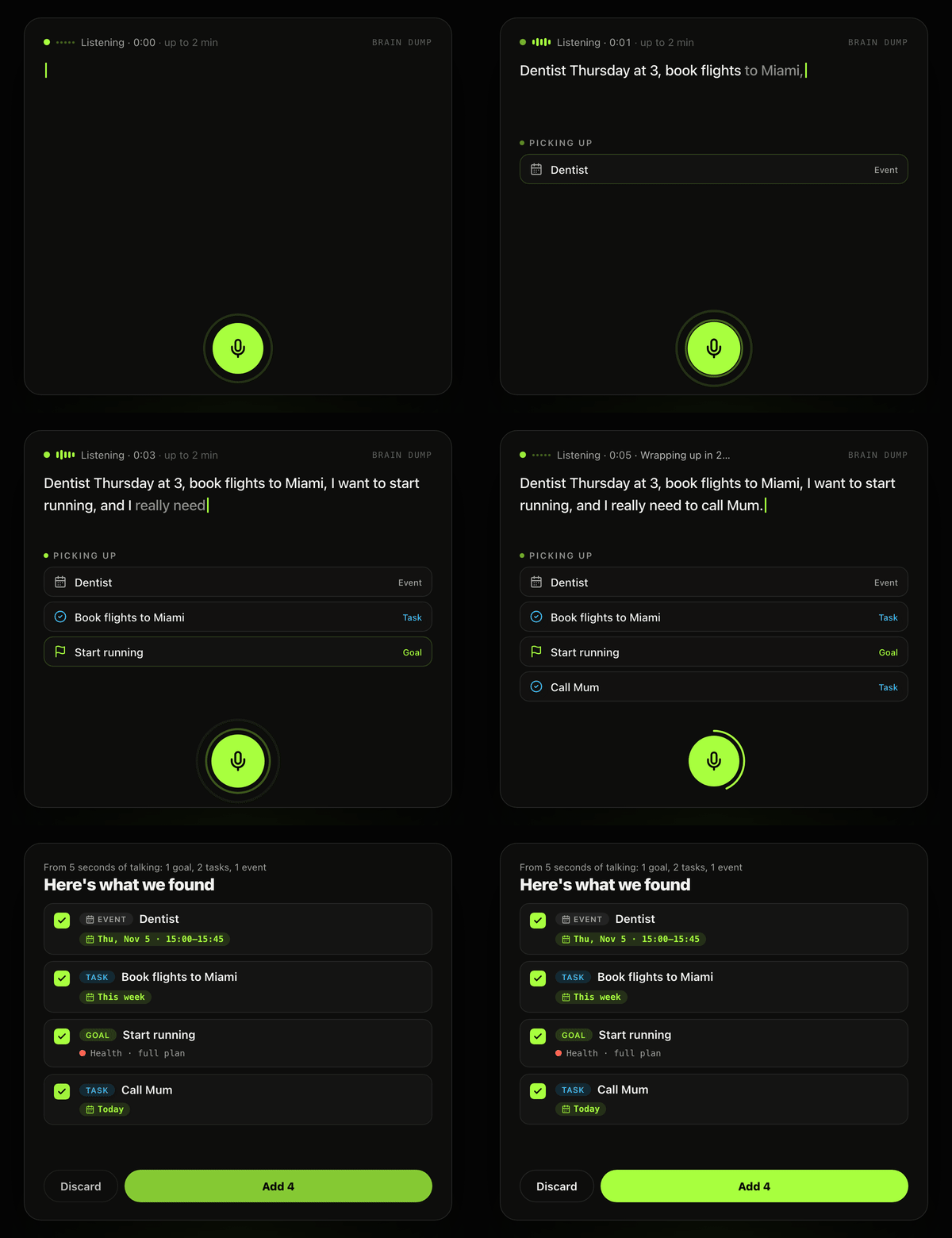
Tap the mic and talk for a minute. Don’t worry about order or phrasing. Something like:
“Dentist Thursday at 3, book flights to Miami, I want to start running, and I really need to call Mum.”
Goaltree listens, then sorts it into the right places. The dentist becomes an event on Thursday at 3pm. Booking flights becomes a task. Running becomes a habit you can check in each day, and calling Mum lands as a task. Dates, times and places are filled in from what you said.
There’s no button to hunt for when you’re done: stop talking and it wraps up by itself. You get a list to review, tweak anything that came out wrong, and add it all in one go.
02 / Screenshot to tasks
Snap it
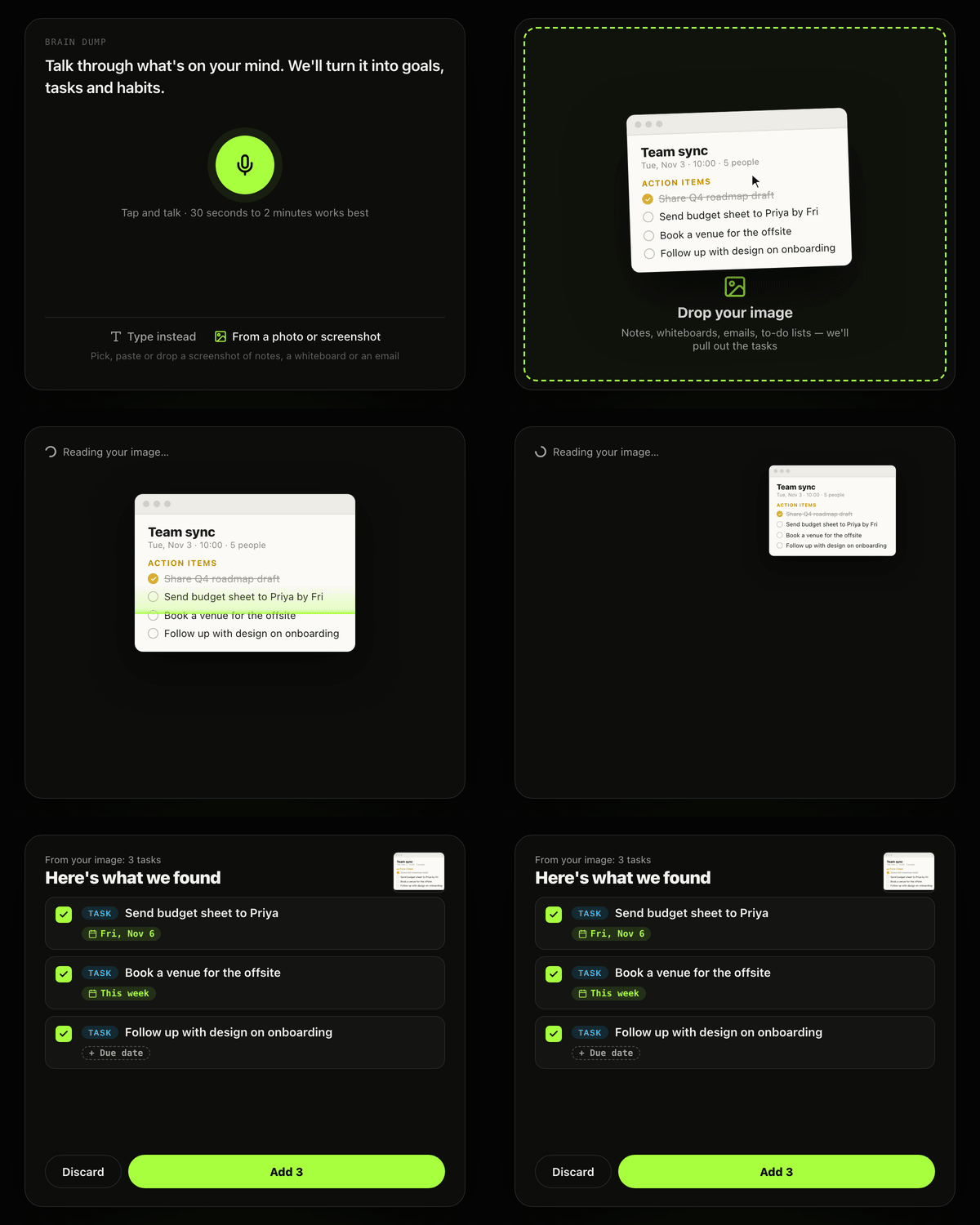
A lot of to-dos start life somewhere else: meeting notes, a whiteboard after a planning session, an email you keep meaning to deal with, a list scribbled on the back of an envelope.
Now you can drop in a screenshot or take a photo, and Goaltree pulls out the action items for you. Each one shows up ready to review, so you can keep what matters, skip what doesn’t and add the rest to a goal or your inbox. No retyping.
03 / Events
Your calendar, finally in one place
Tasks are things you do whenever; events happen at a time and a place. Goaltree now handles both.
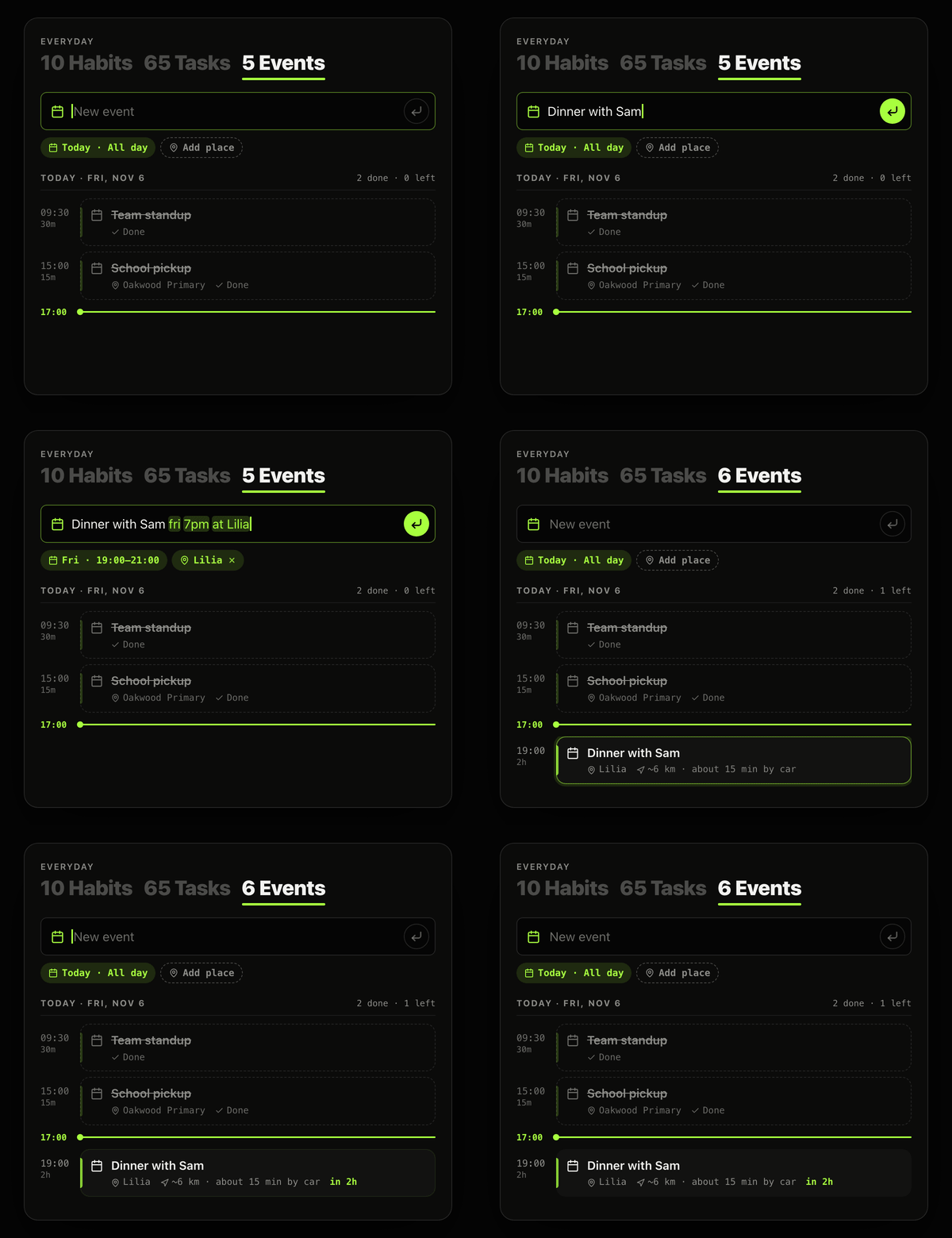
Type it like you’d say it:
“Dinner with Sam fri 7pm at Lilia.”
It becomes an event with the day, time and place filled in. Events show up in the schedule on Today and in the schedule tab under Everyday, with the next two weeks at a glance. You’ll get a reminder before each one starts, with a rough idea of how long it’ll take to get there.
Events and tasks also work together. Say “dentist Thursday at 3, fill in the form before”, and the dentist becomes an event while the form becomes a task due before it.
If you’ve connected Google Calendar, your busy times appear alongside, so Today goes lighter on the days that are already full. Events you add in Goaltree stay in Goaltree; they aren’t copied to Google Calendar.
04 / Claude connector
Ask Claude
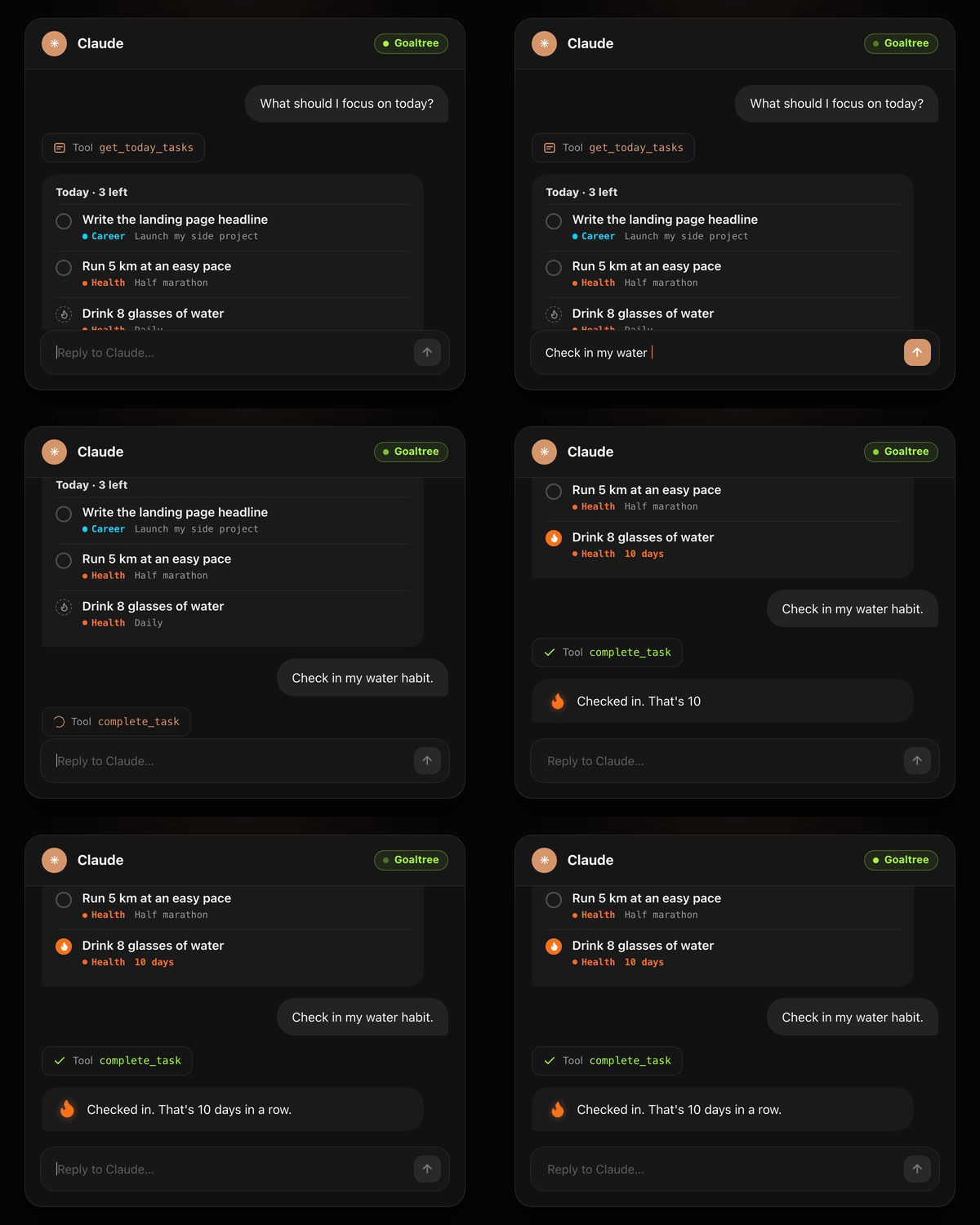
If you already spend part of your day talking to Claude, your plan can come along. Connect Goaltree to Claude from settings, then just ask:
- “Check in my water habit.”
- “What’s on today?”
- “Move these inbox tasks into my marathon goal.”
It’s done, without switching apps. Your goals, habits and today’s tasks are there wherever you already work.
And one more thing
Your coach might call you
Capturing things is half the story. The other half is what happens when a busy week gets in the way.
If a couple of habits slip, your coach (Ada, Max, or whoever you picked) can ring you for a two-minute check-in. It already knows what slipped, so there’s no explaining: you talk about what got in the way, and agree on one small step to get going again. If you’d rather not pick up, decline and you’ll get a gentle text nudge instead.
It’s built to be helpful, not nagging:
- It’s opt-in, and part of Pro.
- At most once a week.
- Only between 10:00 and 21:00, and never during your quiet hours.
- Only on a day when nothing’s done yet.
People keep telling us it’s their favourite thing in the app. A celebratory fist pump afterwards is optional, but encouraged.
Try it this week
Everything here is live now. Next time you think “I should write that down”, try saying it instead, or snap a photo. And if you have a habit you’ve kept going for a long time, we’d love to hear about it: find us on X and tell us your streak.